

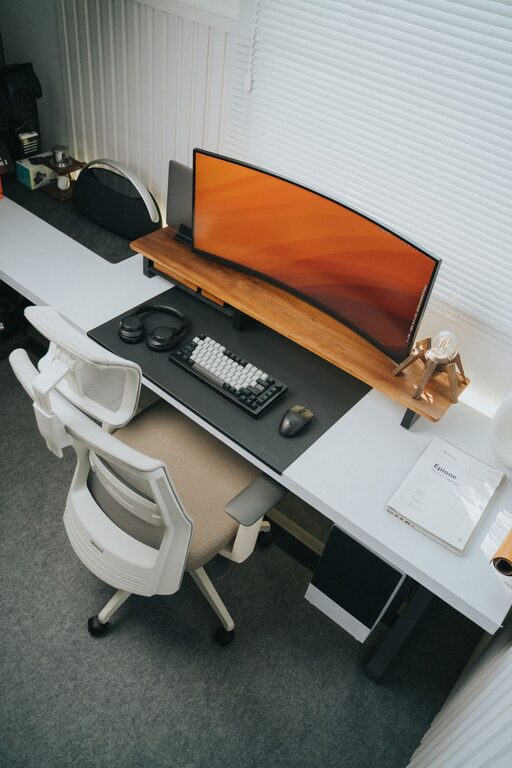
Creating a clutter-free home office is essential for fostering productivity, reducing stress, and maintaining a peaceful workspace. Whether you work from home full-time or occasionally, having an organised environment can significantly improve your focus and efficiency. Here are some practical tips to help you organise a home office space that is both functional and inviting.
Assess Your Space and Needs
Before you start organising, take a moment to evaluate your current setup and identify your requirements.
– Space size: Measure your available area to plan the layout effectively.
– Work style: Consider whether you need room for a computer, paperwork, or creative materials.
– Frequency of use: A full-time workspace might require more storage and comfort than a casual one.
Understanding these factors helps you prioritise your organisation efforts and choose suitable furniture and accessories.
Declutter and Sort
Decluttering is the first major step towards a tidy office. It’s easy to accumulate unnecessary items that only take up space.
Steps to declutter:
- **Clear your desk completely:** Remove everything from your desk to see what you have.
- **Sort items into categories:** Keep, relocate, recycle, or toss.
- **Be honest:** Only keep what you use or need regularly.
- **Digitise documents:** Scan important papers to reduce physical storage needs.
Removing non-essential items instantly makes your workspace feel calmer and more inviting.
Choose Functional Storage Solutions
Having the right storage helps maintain organisation and keeps your desk clear.
– Shelves and bookcases: Use vertical storage to save floor space.
– Filing cabinets or boxes: Store paperwork neatly and access it easily.
– Drawer dividers: Keep small items like stationery organised.
– Desk organisers: Consider trays or pen holders to keep essentials within reach.
Opt for storage that fits your style and office size while maximising usability.
Create Zones in Your Workspace
Dividing your office into functional zones can help streamline your daily tasks.
– Work zone: Desk area with computer and main tools.
– Reference zone: Shelving or filing area for books and documents.
– Supply zone: Storage for stationery, office supplies, and gadgets.
– Relaxation zone: If space allows, a small area for breaks can boost productivity.
Zoning makes it easier to find items quickly and keeps the focus on specific tasks.
Keep Cables and Electronics Tidy
Cables and chargers often create visual clutter in home offices.
– Use cable organisers: Clips, sleeves, or boxes keep wires neat.
– Label cords: Prevent confusion by labelling each cable.
– Limit devices: Only keep essential electronics on your desk.
– Hide power strips: Position them under or behind the desk to keep them out of sight.
This simple step makes a big difference in how tidy your workspace feels.
Maintain a Clean Desk Policy
Developing habits to keep your desk clear is vital for lasting organisation.
– End of day routine: Spend five minutes tidying and resetting for the next day.
– Only essential items: Keep your desk free from unrelated items.
– Regularly empty bins: Avoid overflowing rubbish and crumbs.
– Wipe surfaces: Clean your desk and keyboard weekly to maintain an inviting space.
Consistently practising these habits prevents clutter from building up again.
Personalise Your Office Thoughtfully
A clutter-free office doesn’t mean a boring one. Adding personal touches can make your space inspiring.
– Plants: Bring in greenery to freshen the air and add colour.
– Art or photos: Choose a few meaningful pieces instead of many.
– Organised inspiration: Pin up ideas or a calendar neatly on a noticeboard.
– Comfort items: A cushion or lamp can enhance comfort without contributing to clutter.
Aim for balance between functionality and personality.
Utilise Digital Tools
Many organisational tasks can benefit from digital solutions.
– Task management apps: Keep track of work priorities on your devices instead of paper.
– Cloud storage: Store and access files without physical documents.
– Note-taking apps: Replace sticky notes with digital reminders.
– Calendar software: Schedule meetings and deadlines efficiently.
Reducing paper via technology frees up physical space and streamlines your workflow.
Regularly Review and Refresh
Finally, organisation is an ongoing process. Set regular times to review your home office setup.
– Once a month, look for items to discard or reorganise.
– Update storage if your needs change.
– Adjust lighting or layout to keep the space comfortable.
– Reassess your productivity habits and tweak as needed.
Keeping your home office clutter-free is easier when it becomes a regular practice rather than a one-off effort.
—
By following these tips, you can create a home office that supports your work and helps you feel relaxed and focused. An organised space is a clear path to more enjoyable and productive workdays.