

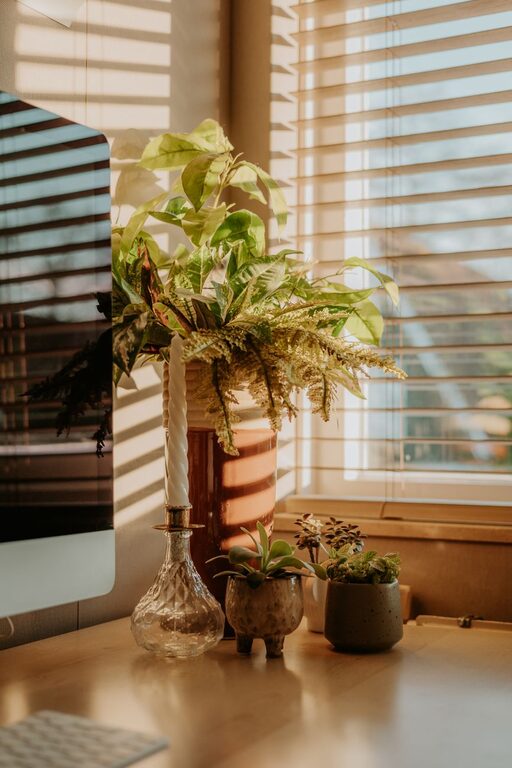
Creating a home office that balances comfort and productivity is essential in today’s world where remote work is increasingly common. A well-designed workspace not only improves your focus but also supports your wellbeing throughout the day. Whether you have a dedicated room or just a corner in your living area, these tips will help you set up an efficient and comfortable home office.
Choose the Right Location
The first step in creating a productive home office is selecting the best spot in your home. Ideally, choose a space that is quiet and away from distractions.
– Natural light: Place your desk near a window to benefit from natural daylight, which can improve mood and energy levels.
– Minimal noise: Avoid areas close to noisy appliances or high-traffic zones.
– Adequate space: Ensure there’s enough room for your desk, chair, and storage solutions without feeling cramped.
If space is limited, consider using room dividers or screens to define your office area clearly.
Invest in Ergonomic Furniture
Comfort is a key factor in staying productive, and ergonomic furniture helps prevent strain and injury.
– Desk: Opt for a desk at the right height so your arms rest comfortably at about 90 degrees when typing.
– Chair: Choose an adjustable chair with good lumbar support. It should allow your feet to rest flat on the floor.
– Accessories: A footrest, keyboard tray, or adjustable monitor stand can enhance comfort.
Taking breaks to stretch and move regularly will also help reduce fatigue.
Organise Your Workspace Efficiently
A cluttered workspace can affect your concentration. Keeping your office organised makes it easier to focus and feel calm.
– Storage solutions: Use shelves, filing cabinets, or boxes to keep documents and supplies tidy.
– Desk organisation: Keep only essential items on your desk. Use trays or organisers for stationery.
– Cable management: Use clips or cable ties to manage cords and keep them out of sight.
Establish a daily or weekly routine to clean and declutter your space to maintain a pleasant environment.
Utilise Good Lighting
Proper lighting reduces eye strain and helps maintain focus.
– Combination of light sources: Use a mix of natural light, overhead lighting, and task lamps.
– Adjustable desk lamp: Position your lamp so it illuminates your work without causing glare on screens.
– Warm light bulbs: Choose bulbs that emit warm, soft light for a comfortable atmosphere.
Avoid working with your back to a window to prevent screen glare.
Personalise Your Space
Adding personal touches can make your home office more inviting and motivate you to work.
– Plants: Incorporate greenery to improve air quality and create a relaxing vibe.
– Art and photos: Hang artwork or family photos that inspire and cheer you up.
– Comfort items: Keep a cushion or a blanket handy to stay cosy during cooler days.
While personalisation is great, ensure it doesn’t become a distraction.
Establish Boundaries
Working from home requires clear boundaries between work and personal life.
– Set working hours: Define your start and finish times to maintain a healthy routine.
– Communicate: Let family or housemates know your schedule to minimise interruptions.
– Dedicated equipment: Use separate devices or accounts for work and personal use if possible.
Creating these boundaries will help you switch off when the workday ends.
Optimise Technology and Connectivity
Reliable tools and internet connection are fundamental for productivity.
– High-speed internet: Ensure your broadband speed supports video calls and online collaboration.
– Quality equipment: Invest in a good monitor, keyboard, mouse, and headphones.
– Backup solutions: Use external drives or cloud storage to protect your important files.
Regularly update your software and maintain security on your devices.
Promote Wellbeing
Your physical and mental health play a vital role in productivity.
– Regular breaks: Follow the 20-20-20 rule—every 20 minutes, look at something 20 feet away for 20 seconds.
– Movement: Incorporate stretches, short walks, or even standing breaks during your day.
– Air quality: Keep your space ventilated and consider an air purifier if needed.
Also, stay hydrated and maintain a work-life balance.
Final Thoughts
Designing a home office that supports both comfort and productivity takes some planning and attention to detail. By choosing the right location, investing in ergonomic furniture, staying organised, and looking after your wellbeing, you can create a workspace that helps you achieve your best. Remember to adapt your setup as your needs change, ensuring your home office remains a pleasant and effective place to work.