

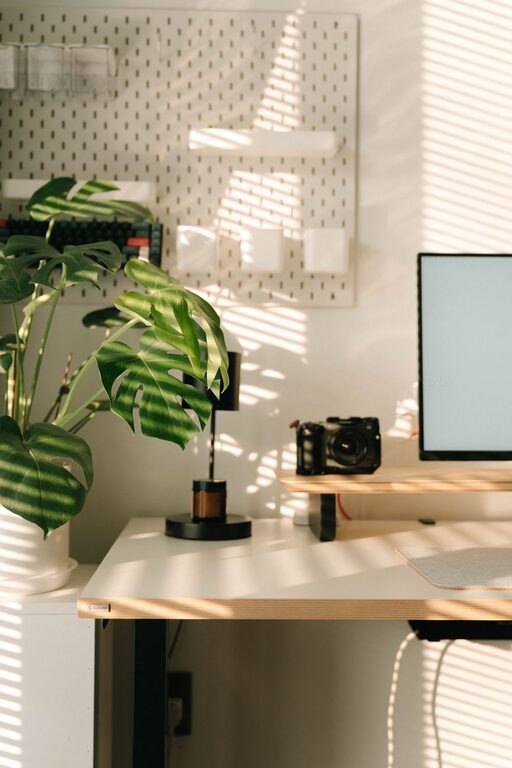
Creating a home workspace that is both productive and enjoyable can have a significant impact on how you approach your workday. Whether you work remotely full-time or occasionally take work home, having a well-designed area to focus and stay comfortable is essential. Here are some helpful tips to guide you in setting up a home workspace that supports your needs and encourages efficiency.
Choose the Right Location
Finding a suitable spot in your home is the first step in crafting an effective workspace.
– Consider natural light: Places near windows often provide better lighting and uplift your mood.
– Minimise distractions: Select a quiet corner away from busy areas, especially if your home is lively.
– Accessibility: Ensure you have easy access to power outlets and network connectivity.
If space is limited, even a small nook can be transformed into a functional workspace with some creativity.
Invest in Comfortable Furniture
Comfort goes hand in hand with productivity. Sitting for extended periods requires furniture that supports your body.
– Ergonomic chair: Look for adjustable chairs that provide good back support.
– Desk size: A desk with enough space to accommodate your computer, paperwork, and other essentials helps keep things organised.
– Standing options: Consider sit-stand desks or converters to vary your posture during the day.
Comfortable furniture reduces strain and fatigue, allowing you to focus better on tasks.
Optimise Lighting
Proper lighting reduces eye strain and creates an inviting atmosphere.
– Use natural light when possible, but avoid glare on your screen.
– Supplement with task lighting such as desk lamps to brighten your workspace during darker hours.
– Choose warm or neutral light bulbs to create a relaxing environment.
Good lighting is an easy way to make your home workspace both practical and pleasant.
Keep Organised and Clutter-Free
Clutter can distract and stress you out. Maintaining an organised space helps with focus.
– Storage solutions: Use shelves, drawers, organisers, or boxes to keep frequently used items accessible but tidy.
– Cable management: Secure or hide cables to reduce mess and trip hazards.
– Daily tidying habit: Spend a few minutes at the end of each day clearing your workspace.
An orderly workspace encourages clear thinking and efficiency.
Personalise Your Space
Adding personal touches can make your workspace more enjoyable and motivating.
– Decorate with artwork or photos that inspire you.
– Add plants which improve air quality and create a calming effect.
– Choose colours and items that reflect your personality while maintaining a professional vibe.
Personalisation helps you feel at ease, which can improve creativity.
Minimise Noise Distractions
Depending on your home environment, noise can be a challenge.
– Noise-cancelling headphones: These can help focus by blocking out background sounds.
– White noise machines or apps: These offer ambient sound to mask distractions.
– Set boundaries with household members: Communicate your work hours clearly to reduce interruptions.
A quieter space supports concentration and productivity.
Establish Routine and Boundaries
Your workspace should signal “work time” to your mind.
– Set working hours: Try to start and finish work at consistent times.
– Use your workspace only for work: Avoid mixing it with leisure activities to help separate work from home life.
– Take breaks: Step away from your desk regularly to stretch and refresh your mind.
Routines and boundaries maintain work-life balance and reduce burnout.
Utilise Technology Efficiently
Make the most of tools and devices to enhance your workflow.
– Reliable internet connection: Essential for smooth online communication and tasks.
– Use productivity apps: Calendars, task managers, and note-taking apps can help you stay organised.
– Backup your work: Use cloud storage or external drives to protect your data.
Technology should be an aid, not a distraction.
Maintain Good Posture and Movement
Your health is important when working from home.
– Set up your monitor at eye level to avoid neck strain.
– Keep your feet flat on the floor or use a footrest.
– Incorporate regular stretches or short walks into your day.
Taking care of your body supports sustained productivity.
Regularly Review and Adjust Your Workspace
Your needs might change over time, so be open to tweaking your setup.
– Assess what works and what doesn’t after a few weeks.
– Experiment with lighting, furniture, or technology as necessary.
– Stay informed about ergonomic best practices to improve comfort.
Flexibility ensures your workspace continues to serve you well.
—
Creating the perfect home workspace is a process, but investing time and effort into it will pay dividends in your daily productivity and well-being. Remember, a space that feels good to work in naturally encourages focus, motivation, and enjoyment throughout your workday.