

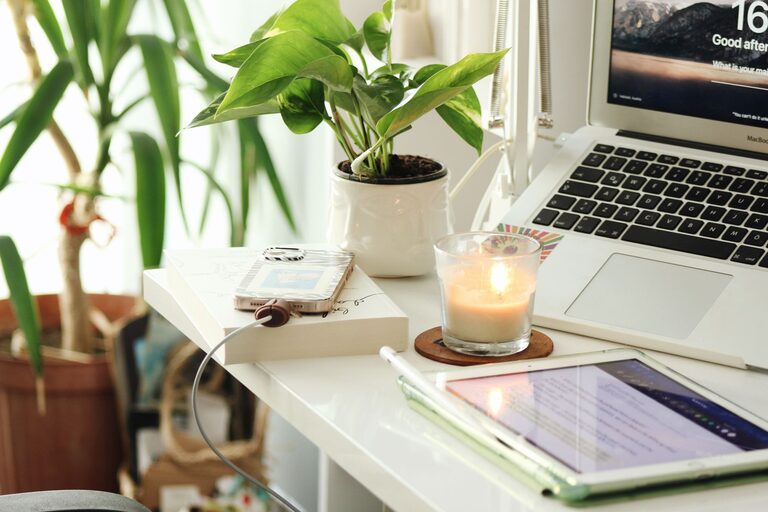
Creating a peaceful and productive workspace at home is more important than ever. Whether you work remotely full-time or occasionally need to catch up on tasks, having a space that supports your focus and reduces stress can make a huge difference in your daily routine. This guide offers practical tips to help you design a home workspace that feels calm, comfortable, and conducive to productivity.
Choose the Right Location
The foundation of a good home workspace is choosing the right spot. Ideally, this should be a quiet area that isn’t heavily trafficked by other household members. If possible, select a room with a door to minimise distractions and create a clear boundary between work and personal life.
If space is limited, consider a corner of a room that can be dedicated to your workspace. Using room dividers or screens can help visually separate your work area and reduce interruptions.
Prioritise Comfort in Your Furniture
Comfort is key to maintaining productivity and preventing physical fatigue or injury.
– Desk: Select a desk that suits your work style, whether it’s a traditional writing desk or a standing desk. Ensure it has enough surface space for your computer, documents, and other essentials without feeling cluttered.
– Chair: Invest in an ergonomic chair that supports good posture. Look for adjustable height, lumbar support, and comfortable cushioning.
– Accessories: Use a footrest, wrist supports, or monitor stands if needed to keep your body in a natural position that reduces strain.
Maximise Natural Light and Add Soothing Lighting
Natural light benefits both your mood and alertness. Place your desk near a window if possible to take advantage of daylight.
For times when natural light is insufficient—such as early mornings or evenings—opt for soft, warm lighting. Avoid harsh overhead lights or flickering screens that can cause eye strain. Adjustable desk lamps provide focused light where you need it.
Keep Your Workspace Organised and Clutter-Free
Clutter can distract and cause mental exhaustion. Maintain an organised space with these strategies:
– Use drawers, shelves, or storage boxes to keep supplies and paperwork neatly stored away.
– Keep only frequently used items on your desk.
– Implement a daily tidying routine, spending five minutes cleaning your workspace before finishing your workday.
– Use cable organisers to manage cords and reduce visual chaos.
Personalise Your Space Mindfully
Adding personal touches can make your workspace inviting, but balance is important.
– Include a few favourite items like photos, plants, or artwork that inspire or calm you.
– Avoid overcrowding your desk with too many decorations.
– Choose items that enhance your mood and motivation without causing distraction.
Minimise Noise and Distractions
Noise and interruptions can quickly break your concentration. Strategies to reduce noise include:
– Using noise-cancelling headphones if your environment is noisy.
– Playing soft background music or white noise to mask distractions.
– Informing household members of your work hours so they respect your need for quiet.
Turn off unnecessary notifications on your phone or computer to maintain focus. Consider apps that block social media during work periods if needed.
Establish a Routine and Boundaries
A peaceful home workspace isn’t only about the physical setup; your habits play a big role.
– Set specific work hours and stick to them to create consistency.
– Start your day with a routine that prepares you mentally for work, such as making a cup of tea or reviewing your tasks.
– Take regular breaks to stretch and rest your eyes, ideally stepping away from your desk completely.
– At the end of the day, tidy your workspace and shut down your devices to signal the end of work and help you switch off.
Use Plants and Nature to Boost Calmness
Incorporating greenery improves air quality and adds calmness to your workspace.
– Choose low-maintenance indoor plants like snake plants, pothos or succulents.
– Position plants where you can see them easily but they won’t obstruct your work.
– If real plants aren’t an option, consider nature-themed artwork or screensavers.
Optimise Technology for Efficiency
Use technology tools that help streamline your tasks rather than distract.
– Keep your computer and software updated to avoid slowdowns or glitches.
– Use keyboard shortcuts and productivity apps to save time.
– Organise digital files regularly to find documents easily.
Maintain Good Air Quality and Temperature
A comfortable environment extends beyond furniture and lighting.
– Ventilate your workspace regularly to keep fresh air flowing.
– Use a small fan or heater to maintain a comfortable temperature throughout the year.
– Consider using a humidifier if the air tends to be dry.
—
Creating a home workspace that is both peaceful and productive involves thoughtful planning and small adjustments. By choosing the right location, prioritising comfort, controlling distractions, and setting clear boundaries, you can build an environment where your best work can happen. Remember that your workspace should evolve as your needs do—regularly assess what’s helping your productivity and wellbeing, and don’t hesitate to make changes. With these tips, you’ll be well on your way to enjoying a harmonious and effective work-from-home experience.